- Use a different password for each important account.
- Make passwords long and difficult to guess.
- Avoid names, birthdays and common phrases.
- Consider using a trusted password manager.
- Change a password immediately if you think it has been exposed.
- Change your passwords every 90 days
You are here:
Main Content
Never share your password or MFA codes. Check the website address before signing in. Avoid entering credentials through unexpected links. Do not save passwords on public or shared computers. Sign out when you have finished using an account.
-
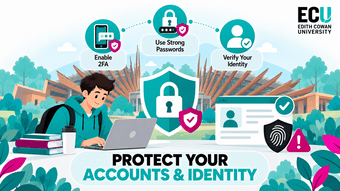
Protect Your Accounts & Identity
Protect Your Accounts & Identity
Your accounts are often the first thing attackers try to compromise because they can provide access to emails, personal information, university systems and other connected services. Protecting your identity online means using strong authentication, recognising suspicious login attempts and being careful about where and how you enter your credentials.
Passwords
Passwords are one of the main barriers between your account and an attacker. Weak, reused or predictable passwords make it easier for someone to gain access, especially if one of your other accounts has already been involved in a data breach. Using a strong, unique password for each important account reduces the chance that one compromised password can be used elsewhere.
Phishing Emails
Phishing emails are designed to trick you into clicking a malicious link, opening an attachment or providing sensitive information. They may pretend to come from ECU, a bank, delivery company or another trusted organisation. Some phishing messages create urgency by claiming there is a problem with your account or that immediate action is required. If you receive any email that causes you concern or suspicion, please report these incidents to the IT Service Desk or telephone on +61 8 6304 6000
- Check the sender's email address carefully.
- Be cautious of urgent or threatening messages.
- Hover over or inspect links before clicking.
- Do not open unexpected attachments.
- Report suspicious emails through the appropriate ECU process.
Multi-Factor Authentication (MFA)
MFA adds an extra security step when signing into an account. Instead of relying only on a password, you may also need to approve a notification, enter a one-time code or use another verification method. This means that even if someone steals your password, they may still be unable to access your account.
- Enable MFA wherever it is available.
- Never approve an MFA request you did not initiate.
- Do not share verification codes with anyone.
- Report repeated unexpected MFA prompts.
- Keep your recovery methods and contact details up to date.
Protecting Your Login Credentials
Login credentials include your username, password and any authentication codes used to access an account. Attackers may try to steal these through fake login pages, scams or social engineering. Always check where you are entering your details and avoid sharing credentials with anyone, including people claiming to be support staff.
Account Security
Account security is about monitoring and managing your accounts so suspicious activity can be noticed quickly. Attackers who gain access may change passwords, send messages from your account or attempt to access other connected services. Regularly checking account activity and security settings can help you identify problems before they become more serious.
- Review recent login and account activity.
- Remove devices or sessions you do not recognise.
- Keep recovery email addresses and phone numbers current.
- Review connected apps and account permissions.
- Report suspected account compromise as soon as possible.