- Keep personal accounts private where appropriate.
- Review who can see your posts and stories.
- Limit who can message or add you.
- Turn off unnecessary location sharing.
- Regularly review followers and remove people you do not know.
You are here:
Main Content
-
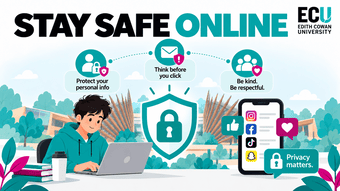
Stay Safe Online
Stay Safe Online
Social media, messaging apps and online communities make it easy to connect, share and communicate, but they also create opportunities for scams, manipulation and unwanted contact. Understanding privacy settings, recognising suspicious behaviour and being careful about what you share can help protect both your digital identity and your personal safety.
Privacy Settings
Privacy settings control who can see your posts, personal information, location and activity online. Many platforms have different settings for profiles, messages, location sharing and tagging, so it is worth reviewing them regularly. Even if an account is private, information can still be shared by followers or captured through screenshots.
Book a personal and wellbeing Support appointment.
Fake Recruiters & Job Scams
Students are often targeted with fake job opportunities because scammers know they may be looking for part-time work, internships or graduate roles. A fake recruiter may offer unusually high pay, ask you to move the conversation away from official channels, request personal documents or ask you to pay money before starting work.
- Research the company and recruiter independently.
- Check that email addresses use the organisation's real domain.
- Be cautious of jobs offering unusually high pay for little work.
- Never pay money to secure a job.
- Contact the organisation directly if you are unsure.
Social Engineering
Social engineering is when someone manipulates you into giving away information, money or access rather than attacking technology directly. Attackers may pretend to be university staff, friends, employers, support teams or trusted companies to make their requests seem legitimate.
- Be cautious of unexpected requests.
- Verify someone's identity through another method.
- Do not let urgency pressure you into acting quickly.
- Never share passwords or MFA codes.
- Stop and check before sending sensitive information.
Catfishing
Catfishing is when someone creates a fake or misleading online identity to build a relationship with another person. They may use stolen photos, fake names or false information to gain trust before asking for money, personal information or private content. A profile that looks convincing is not proof that the person behind it is genuine.
- Be cautious when talking to people you have never met.
- Look for inconsistencies in their profile or stories.
- Be suspicious if they constantly avoid video calls or meeting safely.
- Avoid sharing sensitive information early in a conversation.
- Verify someone's identity before placing significant trust in them.
Sextortion
Sextortion occurs when someone threatens to share private or intimate images unless the victim provides money, more images or another demand. Criminals may first build trust or use fake profiles before asking for private content, then use that content to pressure the victim.
- Do not send more images or money if threatened.
- Stop communicating with the offender.
- Save messages and other evidence.
- Block and report the account.
- Tell someone you trust and seek support as soon as possible.
Online Messaging
Private messaging can make conversations feel more personal and secure, but the person on the other side may not always be who they claim to be. Moving quickly from a public platform into private messages can sometimes be used to isolate someone from moderation systems or people who might notice suspicious behaviour.
- Be cautious when someone immediately wants to move platforms.
- Avoid sharing your address, routine or financial details.
- Treat unexpected links and files carefully.
- Block users who make you uncomfortable or apply pressure.
- Remember that private messages can still be saved, copied or shared.