- Connect only to official ECU Wi-Fi networks.
- Check the network name before connecting.
- Avoid networks with similar or suspicious names.
- Disable automatic connection to unknown networks.
- Report unusual or unexpected Wi-Fi networks.
You are here:
Main Content
-
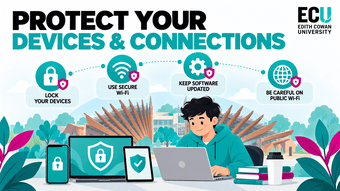
Protect Your Devices & Connections
Protect Your Devices & Connections
Your laptop, phone and other devices are constantly connecting to networks, websites and external hardware. Keeping those devices secure helps protect your personal information, university work and online accounts. Simple habits such as using trusted Wi-Fi, keeping software updated and being careful with shared computers or unknown USB devices can prevent a lot of common cyber security issues.
Campus Wi-Fi
University Wi-Fi is generally safer than random public networks because it is managed and monitored by the university. Students should make sure they are connecting to the official ECU network rather than a similarly named or unfamiliar network. Attackers can create fake Wi-Fi networks that look legitimate in an attempt to capture login details or other information.
Public Wi-Fi
Free Wi-Fi in cafés, airports, shopping centres and other public places can be convenient, but it may not always be secure. Other people on the network may be able to monitor activity, and fake Wi-Fi hotspots can be created to trick users into connecting. Avoid accessing highly sensitive accounts when using an unfamiliar public network.
- Avoid banking or sensitive activity on public Wi-Fi.
- Prefer mobile data when handling sensitive information.
- Confirm the Wi-Fi name with staff before connecting.
- Avoid open networks that require no authentication.
- Forget the network after you have finished using it.
Keep Your Devices Updated
Software updates do more than add new features. They often contain security patches that fix vulnerabilities attackers could otherwise exploit. Delaying updates for long periods can leave your phone, laptop, browser or apps exposed to security problems that have already been discovered and fixed.
- Keep your operating system updated.
- Update apps and browsers regularly.
- Enable automatic updates where practical.
- Restart devices when updates require it.
- Only download updates from official sources.
Shared & Public Computers
Shared computers can be useful for study, but you have less control over how the device is configured or who has used it before you. Saved passwords, browser sessions and downloaded files can expose your information to the next person using the computer. Treat public computers differently from your own personal device.
- Never save passwords on a shared computer.
- Avoid accessing highly sensitive accounts where possible.
- Do not leave the computer unattended while logged in.
- Delete downloaded personal files when finished.
- Fully sign out of every account before leaving.
USB & External Device Risks
USB drives and other external devices can carry malicious software as well as normal files. An unknown USB found on campus may look harmless, but plugging it into a computer could potentially expose the device to malware or unwanted software. External devices should only be used when you know and trust where they came from.
- Do not plug in USB devices you find or do not recognise.
- Only use trusted personal or university-provided devices.
- Scan removable storage where security software allows it.
- Avoid sharing USB drives unnecessarily.
- Report suspicious devices rather than testing them yourself.