-
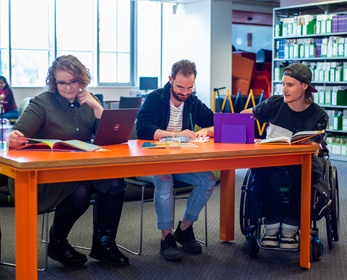
Take a look at the workshops offered via Access & Inclusion.
Workshops
Tech Tutes - Workshops & Drop In Support
Tech Tutes are practical online sessions offered by Access & Inclusion during Semester 2, 2026. They provide opportunities to explore how technology can support you to access, organise, understand and work with study information.
Tech Tutes are available to all students who want to explore ways technology can support their study.
Most workshops will focus on Microsoft Copilot as a study support tool, with one practical workshop on Zotero.
What can Tech Tutes help with?
Tech Tutes explore practical ways technology can support:
- understanding and working with readings and course information
- planning assignments and organising study
- summarising and reviewing notes
- reviewing your own writing and developing ideas
- research and referencing
- revision and study preparation.
Workshops and drop-ins
Workshops are practical sessions focused on a particular tool or study task. Sessions include a demonstration, guided practice and time for questions.
Drop-ins are informal sessions where you can ask questions, practise using study technology or get help applying a tool to your own study needs. You can join at any time during the scheduled hour.
Semester 2, 2026 schedule
Thursdays, 2:30 pm–3:30 pm Online via Microsoft Teams
Join Tech Tutes on Microsoft Teams
No registration is required. The same Teams link is used for every Tech Tute.
| Week | Date | Session | What we'll cover |
|---|---|---|---|
| 7 | 10 September | Workshop | Copilot: Understanding Readings & Assignment Tasks |
| 8 | 17 September | No Tech Tute (moved to 1 October) | |
| 9 | 24 September | No Tech Tute | |
| Mid Sem Break | 1 October | Workshop | Copilot: Organising Notes & Planning Study |
| 10 | 8 October | Workshop | Zotero: Managing Your References |
| 11 | 15 October | Workshop | Copilot: Reviewing Your Writing |
| 12 | 22 October | No Tech Tute | |
| 13 | 29 October | Workshop | Copilot: Creating Revision & Study Materials |
Joining a session
- Check the schedule above.
- Select Join Tech Tutes on Microsoft Teams.
- Join during the scheduled session.
The same Teams link is used each week, and you do not need to register.
Accessibility and session information
Tech Tutes are delivered online through Microsoft Teams.
- Live captions are available during sessions.
- You are welcome to join five minutes early to check your audio or connection.
- Sessions are not recorded.
If you cannot attend, alternative step-by-step guides and resources are available on the Access & Inclusion Canvas page.
Need help with something else?
Tech Tutes focus on using technology to support study and accessibility. They do not provide:
- general device, Wi-Fi, account or ECU systems troubleshooting - contact IT Services
- general generative AI support unrelated to study or accessibility
- subject-specific academic tutoring - see Library Peer Assistants or contact your teaching team.
ADHD and Other Learning Difficulties: How to manage them and succeed at uni.
Access and Inclusion facilitate a workshop each semester. Details for upcoming workshops will be updated on this page.
Here is a recording of a previous workshop.
In this session you will:
- Identify common challenges for university students with a learning difficulty and the reasons why these occur.
- Learn how to address these challenges and discover practical strategies that work for others.
- Find out how YOU learn best and spend some time investigating your learning styles and preferences.
- Investigate tools to help you learn. A range of options will be presented.
- Tailor a system that will get you organised and find a set of tools best suited to your brain and your lifestyle.
- Make it stick. Put checks in place to help you stay focused and organised long-term.
About the presenter:
Dr Michele Toner researched university students with ADHD and learning difficulties for her PhD. This added to the body of knowledge she has acquired in her 20 years of working with people who learn differently and led her to open her full-time coaching practice 5 years ago.
Over the years, she has witnessed inspiring transformations in people of all ages, following the diagnosis and treatment of ADHD and/or a learning difficulty. With these in mind, she designs workshops and coaching sessions aimed at helping people to reduce the negative impact of their symptoms and make the most of positive attributes they possess.
Dyslexia: How to manage it and succeed at uni.
Here is a recording of a previous workshop.
This workshop is presented by an Educational Psychologist from Dyslexia-SPELD.
This workshop will cover:
- What is dyslexia?
- Characteristics of dyslexia in adults
- Impact of dyslexia on University Studies
- Strategies for you to use to minimise that impact
- Resources and assistive technology
To register an expression of interest for this workshop, please complete this Microsoft Form.